Manual:Utilities
Check Document Maintenance Utility
Menu Location: Main / Utilities / Check Document Maintenance
What It Does:
- The Check Document Maintenance utility will import the file and link the information from the Check Register Import to the scanned documents.
- To run the utility, click 'OK' on the window below:
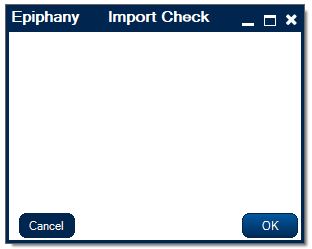
- Your local computer's file explorer will appear. Select the check batch file to be imported and click 'Open'.
- The file will be imported. When the import is complete you will receive a window that says 'Done'.
- The Check Document Maintenance utility will import the file and link the information from the Check Register Import to the scanned documents.

Fix Account Balance
Menu Locations:
- Main / Utilities / Fix Account Balance
- Accounting / General Ledger / Fix Account Balance
What It Does:
- The Fix Account Balance Utility corrects erroneous account balances by deleting any ledger records that have not been attached to a journal entry from the system. These ledger records are then zeroed out on the relevant charts to give the correct account balance.
Fix AP Invoices
Menu Location: Main > Utilities > Fix AP Invoices
What It Does:
- The Fix AP Invoices utility repairs the issue of an AP invoice being overlooked or incorrect for various reasons. These may be because the system has not assigned an invoice number to the invoice, a company has not been assigned to the invoice, or payments made to the invoice have been missed by the system. The tool finds the erroneous invoice and repairs these issues.
Fix AR Invoice Payments
Menu Locations:
- Main > Utilities > Fix AR Invoice Payments
- Accounting > Accounts Receivable > Utilities > Fix AR Invoice Payments
- Main > Utilities > Fix AR Invoice Payments
What It Does:
- The Fix AR Invoice Payments utility finds and corrects invoices with incorrect credit and/or payment amounts.
Fix Inventory Quantity
Menu Locations:
- Main > Utilities > Fix Inventory Quantity
- Accounting > Inventory > Inventory > Utilities > Fix Inventory Quantity
- Inventory > Inventory > Fix Inventory Quantity
What It Does:
- The Fix Inventory Quantity utility corrects part numbers with erroneous inventory quantities. It does so by finding the quantity of the part in inventory and comparing it to what the correct quantity should be based off past inventory transactions. If a discrepancy is found, the part number's quantity is updated with the quantity given from past inventory transactions.
Fix Journal Entries
Menu Locations:
- Main > Utilities > Fix Journal Entries
- Accounting > Inventory > Inventory > Utilities > Fix Inventory Quantity
- Accounting > General Ledger > Utilities > Fix Journal Entries
What It Does:
- The Fix Journal Entries utility finds errors in the General Ledger by finding journal entries that are orphaned, meaning they are not attached to any account, and removing them.
Recalc Inventory Acct Balance
Menu Locations:
- Main > Utilities > Recalc Inventory Acct Balance
- Accounting > Inventory > Inventory > Utilities > Recalc Inventory Acct Balance
- Inventory > Inventory > Utilities > Recalc Inventory Acct Balance
- Main > Utilities > Recalc Inventory Acct Balance
What It Does:
- The Recalc Inventory Acct Balance utility runs a recalculation of the inventory account balances to correct any erroneous calculations.
Inventory Category Link
Menu Location: Main > Utilities > Inventory Category Link
What It Does:
- The Inventory Category Link utility will link a Category to every inventory item that is not assigned to one.
Update Inventory Pricing
Menu Location: Main > Utilities > Update Inventory Pricing
What It Does:
- The Update Inventory Pricing utility will update all inventory item prices based on the current markup percentage and cost of the item.
Efficiency Utility
Menu Location: Main > Utilities > Efficiency Utility
What It Does:
- The Efficiency Utility searches for efficiency records that have either no person or no department linked to them and gives the option to delete these records.
Peerless Import
Menu Location: Main > Utilities > Peerless Import
What It Does
- The Peerless Import utility imports AR invoices from the local file system into the AR Invoice table.
Assembly Cost Update
Menu Location: Main > Utilities > Assembly Cost Update
What It Does
- The Assembly Cost Update utility updates the cost on all assembly items.
Create Employee Reviews
Menu Location: Main > Utilities > Create Employee Reviews
What It Does
- The Create Employee Reviews utility creates employee reviews based off of employee records and review questions.
EDI Maintenance
Menu Location: Main > Utilities > EDI Maintenance
What It Does
- The EDI Maintenance utility re-downloads, re-imports, and re-uploads EDI files.
Fix History
Menu Location: Main > Utilities > Fix History
What It Does
- The Fix History utility searches for duplicate records within the transaction log, relationships log, and the transactions add/delete log and removes them.
Web Service
Menu Location: Main > Utilities > Web Service
What It Does:
- The Web Service utility pulls and saves orders from the web service when the 'Execute' button is clicked and lists the PO numbers of orders from the web service when the 'Print PO Numbers' button is clicked.
Index Maintenance
Menu Location: Administration > Utilities > Index Maintenance
What It Does:
- The Index Maintenance utility gives the option to either rebuild or reorganize table indexes for all tables in the system.
Repair Relationships
Menu Location: Administration > Utilities > Repair Relationships
What It Does:
- The Repair Relationships utility searches for and repairs relationships with null values and null ID's. The utility also verifies that the values entered into the relationships table exist and are valid.
Background Processing
Menu Location: Administration > Utilities > Background Processing
What It Does:
- The Background Processing utility displays the status of any background processes in the system.
Import Manager
Menu Location: Administration > Utilities > Import Manager
What It Does:
- The Import Manager utility opens the Import Manager, which is a tool used to import new data into the system, and also displays import data history.
Export Manager
Menu Location: Administration > Utilities > Export Manager
What It Does:
- The Export Manager utility opens the Export Manager, which is a tool used to export data to the local file system.
Batch Delete
Menu Location: Administration > Utilities > Batch Delete
What It Does:
- The Batch Delete utility allows for a mass delete of any objects that fall under an applied filter.
Import EPI File
Menu Location: Administration > Utilities > Import EPI File
What It Does:
- The Import EPI File utility imports an EPI file from the local file system.
Epiphany Client Update
Menu Location: Administration > Utilities > Epiphany Client Update
What It Does:
- The Epiphany Client Update utility updates the client for terminal service users.
Web Update
Menu Location: Administration > Utilities > Web Update
What It Does:
- The Web Update utility updates Epiphany to the most recent version via the web.

